

How to Create Engaging Social Media Content from Blog Posts (The 2026 Guide)
TL;DR
If you want to create engaging social media content from blog posts, do not simply paste your blog link with a lazy caption and call it promotion. That is Distribution Theater.
The better play is to break one blog post into multiple native social assets: short-form posts, X threads, LinkedIn carousels, quote cards, short videos, hooks, and CTA-driven snippets built for each platform.
That is how a single article turns into a real content engine.
If you want to do this at scale, ApePublish helps you turn one long-form piece into 20+ platform-ready assets without rewriting everything by hand.
Section 1: Stop posting blog links like it’s 2018
Most blog promotion fails for one simple reason: People treat social media like a traffic dump.
They publish a solid article, copy the headline, paste the URL, add something like "New blog live," and expect clicks. It rarely works. Social platforms reward native content, not off-platform exits. If your post looks like a link drop, people will scroll past it.
How do you create engaging social media content from blog posts?
You repurpose the blog into platform-specific content instead of merely sharing the link. That means pulling out the strongest argument, the best stat, the sharpest contrarian take, the cleanest framework, and the most useful step-by-step advice - then rebuilding those ideas into formats that fit LinkedIn, X, Instagram, TikTok, Facebook, and YouTube Shorts.
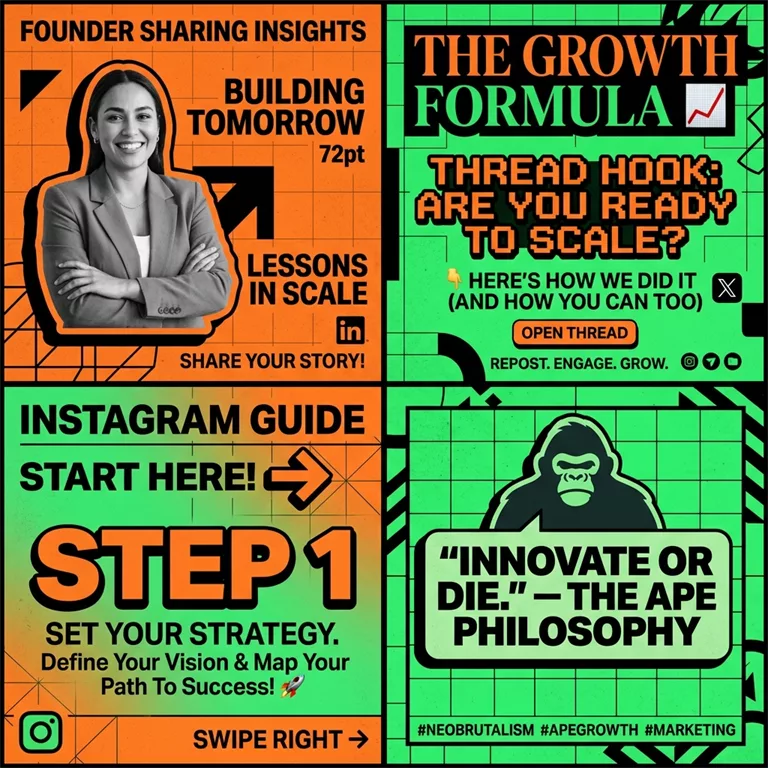
This matters because the audience is already there. According to DataReportal 2025, there are 5.24 billion social media users worldwide. Social is where attention lives. Your blog is the source asset; social media is the distribution layer. If you don't convert one into the other, you're leaving reach, clicks, and subscribers on the table.
And the format shift matters just as much as the platform shift. Wyzowl's 2025 State of Video Marketing reports that 89% of businesses use video as a marketing tool. That doesn't mean every blog post needs a film crew. It means audiences are used to content being packaged in multiple formats, especially short, visual, and easy-to-consume ones. A strong blog post should not stay trapped as a wall of text.
The Practical Breakdown:
That is the real answer to blog post to social media strategy. Don't just "share" it everywhere; rebuild it everywhere.
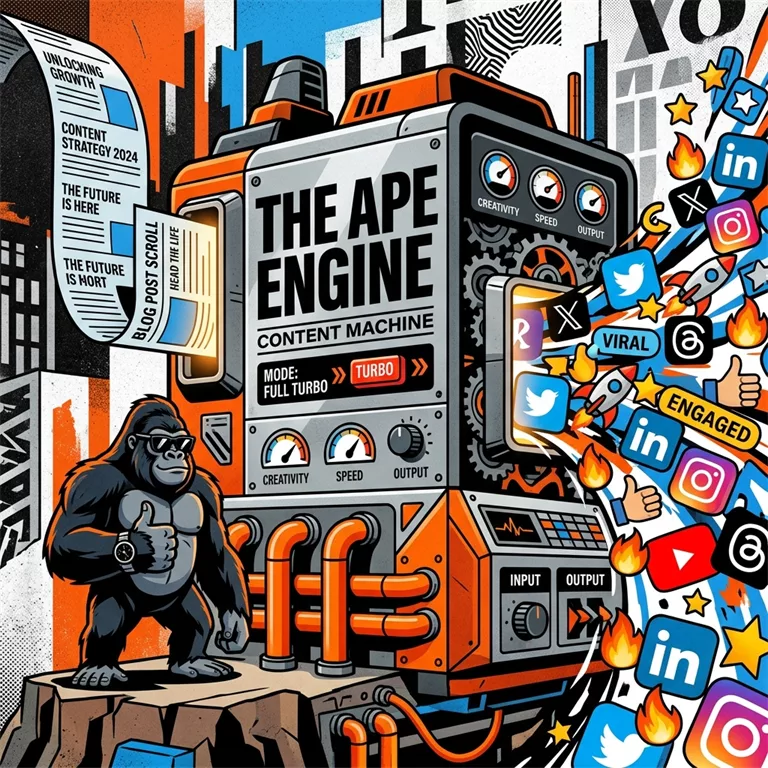
At ApePublish, this is the whole game. You start with one long-form asset, then the Ape Engine turns it into a stack of social media content built for reach, saves, clicks, and subscriber growth. Instead of manually turning a blog into ten smaller posts, you use the system to generate the angles, hooks, formats, and outputs faster.
If your current workflow for how to share blog posts on social media is just posting the link and hoping, this guide will fix that.
Section 2: Why most blog posts die on social media
Stop "sharing" blog posts. Start repurposing them.
Here’s the blunt truth: Most blog promotion fails because people treat social media like a digital landfill.
They publish a blog, copy the headline, paste the URL, write a caption like "New blog is live," and expect traffic. That usually goes nowhere because social platforms are built to keep users on-platform, not send them away.

That is why a plain "blog post to social media" workflow underperforms. The format is fundamentally wrong.
If you want to create engaging social media content from blog posts, you need to turn the article into native platform content. That means:
The blog is the source asset. Social content is the distribution layer. Those are not the same thing.
Why link-only promotion performs badly
Most social algorithms reward content that generates immediate engagement: clicks, comments, watch time, saves, rewatches, shares, and dwell time. A raw blog link usually loses on all of those metrics.
A few platform realities matter here:
Even large publishers rarely rely on "headline + link" alone. They package one article into multiple post types because audience behavior changes by platform.
If your current method is:
- Publish blog.
- Share link once.
- Hope for traffic.
...that is not a content strategy. That is a disposal system.
What "engaging social media content from blog posts" actually means
Engaging social content is not your full blog crammed into a caption. It is one clean idea, shaped for one platform, with one specific job.
The Difference in Packaging:
Weak Version: "Read our latest blog on email marketing trends in 2026: [link]"
Ape-Style Version: "Most email newsletters fail before the second send. Not because the offer is weak - but because the writer has no repeatable angle.
Here are 3 newsletter angles we keep seeing outperform generic updates:
- The Contrarian Take
- The Operator Lesson
- The Customer Mistake
Full breakdown in the article below."
Same blog. Different packaging. One is a link announcement. The other is a Social Asset.
The 5 content layers inside every good blog post
A strong blog usually contains more social content than people realize. Most teams just never extract it properly. Inside one article, you can usually find at least five layers:
- The Hook: This becomes your X post opener, LinkedIn first line, or Reel opening.
- The Core Insight: This becomes a single-post takeaway or a quote graphic.
- The Process: This becomes a carousel, thread, or checklist.
- The Proof: This becomes a credibility post or objection-handling content.
- The CTA: This becomes a comment trigger or lead magnet bridge.
The biggest mistake brands make
They try to promote the entire article in every social post. That almost always kills engagement.
A social post should sell the next action, not summarize everything. Give readers one sharp piece of value, then let the blog do the rest.
A simple repurposing rule that works
One blog post should become:
This gives you multiple entry points for different people across different platforms.
The execution is where most teams hit a wall. It's repetitive and time-consuming. That is exactly the bottleneck ApePublish is built to remove. Instead of manually rewriting for 5 hours, the Ape Engine pulls the strongest angles from a long-form post and turns them into platform-ready assets in 60 seconds.
Section 3: The 2026 framework for turning one blog post into engaging social media content
If Section 2 explained why most blog promotion fails, this section shows how to fix it. Most people try to turn a blog post into social media content by shrinking it. That is the wrong move.
You do not take a 1,500-word article, cut it down to 100 words, and hope it works on LinkedIn, X, Instagram, or TikTok. Each platform rewards a different content shape. So the job is not "make it shorter." The job is "extract the parts that can win natively on each platform."
That is the difference between a weak blog post to social media workflow and a real repurposing system.
The 2026 Rule
For EVERY blog, pull out these 7 content layers before you write a single post:
- The Core Claim: What is the one sentence the article is trying to prove?
- The Strongest Hook: What line would make the right person stop scrolling?
- The Proof Points: What facts, examples, mistakes, or observations make the claim believable?
- The Steps: What can someone do today after reading this?
- The Contrarian Angle: What does your article say that most people get wrong?
- The Quote Lines: Which sentences are sharp enough to stand alone as posts, graphics, or hooks?
- The CTA Angle: What should the reader do next: comment, save, click, subscribe, or try the product?
If you cannot extract these 7 layers, your blog is probably too soft to perform well on social. That matters because engaging social media content from blog posts does not come from rewriting paragraph after paragraph. It comes from identifying portable ideas.
The Ape Repurposing Map
Here is the exact system I would use to turn one blog into a full social package.
1. Turn the headline into 3 different hooks
Your blog headline is usually written for search. Social posts need tension. So build three hook versions:
One blog should never produce one opening line. It should produce several.
2. Pull out 5 to 10 standalone insights
Go through the article and mark any sentence that does one of these jobs: teaches a process, gives a warning, reframes a common mistake, offers a stat or example, creates tension or curiosity, or sounds quotable.
These become: X posts, LinkedIn text posts, carousel slides, quote cards, email teaser lines, and video cold opens. This is where most teams underperform. They think the blog itself is the asset. It is not. The raw material inside the blog is the asset.
3. Split the blog into content formats, not just shorter copies
This is where real repurposing starts. A single article can become:
That is how you move from blog-to-social-media-post thinking to content system thinking.
4. Rewrite for platform behavior
Each platform has its own pace and its own expectations. Ignore that and your reach drops.
LinkedIn:
X:
Instagram / Carousel:
Short Video:
Use the 1-to-many system
If you want to know how to promote a blog post on social media, use this rule: One blog post should create one traffic moment and create many native social assets.
That means:
Same source. Different jobs. That is also why the best teams are not asking, "How do I share your blog post on social media?" They are asking, "How many platform-native assets can this article create?" That is a much better question.
Section 4: How to turn one blog post into platform-specific social content
This is where most teams get lazy. They know they should repurpose a blog post for social media, but what they actually do is rewrite the intro three times, swap a few words, and post the same idea everywhere. Same angle. Same structure. Same boring result.
That is not repurposing. That is duplication.
If you want to create engaging social media content from blog posts, you need to match the format to the platform behavior. People do not read on X the way they skim LinkedIn. They do not consume Instagram like they consume short-form video. So your blog has to become different assets, not recycled captions.
Use this rule: one blog, many angles
A strong blog usually contains more than enough material for a full content batch. From one article, you can usually pull:
That is how you turn a single blog-to-social-media-post system into something that actually produces reach.
Here is the simplest platform map
LinkedIn: lead with a sharp opinion LinkedIn rewards clarity, tension, and professional relevance.
X: build a thread around movement X needs pace. A good thread is not a chopped-up blog. It is a sequence with momentum. The reader should feel like each post earns the next one.
Instagram carousels: teach visually Carousels work when the blog contains: steps, mistakes, frameworks, checklists, or before-and-after examples. Each slide should carry one idea. No walls of text. No mini-essay jammed into a graphic.
Short videos: pull one strong point, not the whole blog This is where people mess up badly. They try to turn the entire article into a 60-second video. A better move is to pull one useful angle, like the biggest mistake in blog promotion or why native content beats link posts.
The easiest way to extract content from a blog
When you look at a published article, scan for these raw materials: bold claims, numbers or stats, mistakes, step-by-step processes, examples, contrarian opinions, one-line quotes, and action items.
For example, if your article says: "Posting a blog link is not a social strategy. It is a distribution shortcut," you can turn that into a LinkedIn opinion post, a quote graphic, a thread opener, a reel hook, or a carousel title. That is the game. You are not writing from scratch. You are extracting and repackaging.
This is where automation starts to matter
Manual repurposing sounds easy until you do it every week. One blog becomes five posts, then ten, then you need variations for every platform. That is where most content systems break - not because the team lacks ideas, but because the process is too slow.
A platform like ApePublish fixes that by turning one long-form asset into multiple social-ready formats without forcing you to rebuild the same message by hand every time.
Section 5: how to repurpose old blog posts for social media without sounding repetitive
Most brands are sitting on a content graveyard. Dozens of old blog posts. Some still useful. Some ranking. Some half-dead. Almost none being used properly on social media. That is wasted distribution.
If you are wondering how to repurpose old blog posts for social media, the answer is simple: do not repost the same link with a new caption. Rebuild the asset around what still matters now.
An old blog post can still produce strong social content if the topic is evergreen, the data can be refreshed, the opinion is still sharp, the framework still works, the pain point still exists, the post already gets search traffic, or the post has a strong section that can stand alone.
The 5-step refresh method
1. Audit the post for reusable angles Do not start with the full article. Start with extraction. Pull out: one strong claim, one useful framework, one mistake people still make, one statistic, one quote-worthy line, one carousel section, and one short video section. If you cannot find at least 3 of these, the post probably is not worth repurposing.
2. Update anything that feels stale Nothing kills trust faster than old references pretending to be current. Check: dates, platform features, algorithm references, screenshots, tool recommendations, benchmarks, examples, and CTA language.
3. Choose a fresh content angle Do not frame the post the same way it was framed the first time. Use a mistake angle, a contrarian angle, a step-by-step angle, or a checklist angle.
4. Split the post into native formats Repurposing old blog posts means turning one article into multiple native assets: LinkedIn posts, X threads, carousels, video scripts, quote graphics, FAQ posts, and myth-vs-reality posts.
5. Connect the social post back to the blog with intent Sometimes the social post should stand alone and build awareness. Sometimes it should create curiosity and send traffic. Sometimes it should push readers into a lead magnet, demo, or tool. For SaaS, this matters even more. Your goal is to move people from content consumer to product-aware visitor.
Which old blog posts should you repurpose first?
Prioritize: blog posts already ranking in search, blog posts with evergreen topics, blog posts tied to strong pain points, blog posts with clear frameworks, blog posts that support your product narrative, and blog posts with traffic but weak conversions.
Where ApePublish fits
Refreshing archives and extracting angles manually burns time. ApePublish cuts that down. Instead of reopening an old article and rebuilding everything manually, you can use the Ape Engine to turn that blog into platform-ready assets fast. Check out our guide on Repurposing Secrets for founders.
Section 6: the best tools to repurpose blog content into social media posts
Most tools in this category either help you schedule content or help you write it. Very few do both well. Even fewer can take one blog post and turn it into a full social media content system.
If you are searching for the best tools to repurpose blog content into social media posts, you are usually not looking for another scheduler like Buffer or Hootsuite. You are looking for a way to turn one article into real distribution assets without spending half your week rewriting the same idea.
What a real repurposing tool should do
A serious blog-to-social workflow should help you: pull strong hooks, identify quotable lines, rewrite for different platforms, create multiple post types, keep tone native, shorten production time, preserve point of view, and move to scheduled content fast.
The 4 tool categories you need to understand
1. Schedulers These tools publish content across channels. They are useful for timing and queue management.
2. AI writing tools These tools like Jasper or Copy.ai can generate captions and summaries. The problem is they often flatten your blog into generic posts that sound like they were written by the same machine.
3. Design and video tools These tools help you turn blog insights into visuals, carousels, and videos. They matter because some content should not stay as text. Canva and Descript are great for this.
4. End-to-end repurposing platforms This is the category that matters most. You feed in a blog, and the system breaks it into multiple social assets with different angles and formats. This is where ApePublish sits.
A simple way to compare tools
When evaluating, ask: Can it work from long-form content? Can it create multiple content formats? Can it adapt by platform? Can it preserve voice? Can it save enough time to matter?
In 2026, the winning setup is simple: one source of truth, one repurposing engine, one publishing layer, and one feedback loop.
Section 7: how to promote a blog post on social media with a real distribution plan
Publishing a blog is not the win. Distribution is the win. If you want to know how to promote a blog post on social media, the answer is simple: do not rely on one link post. Build a distribution stack.
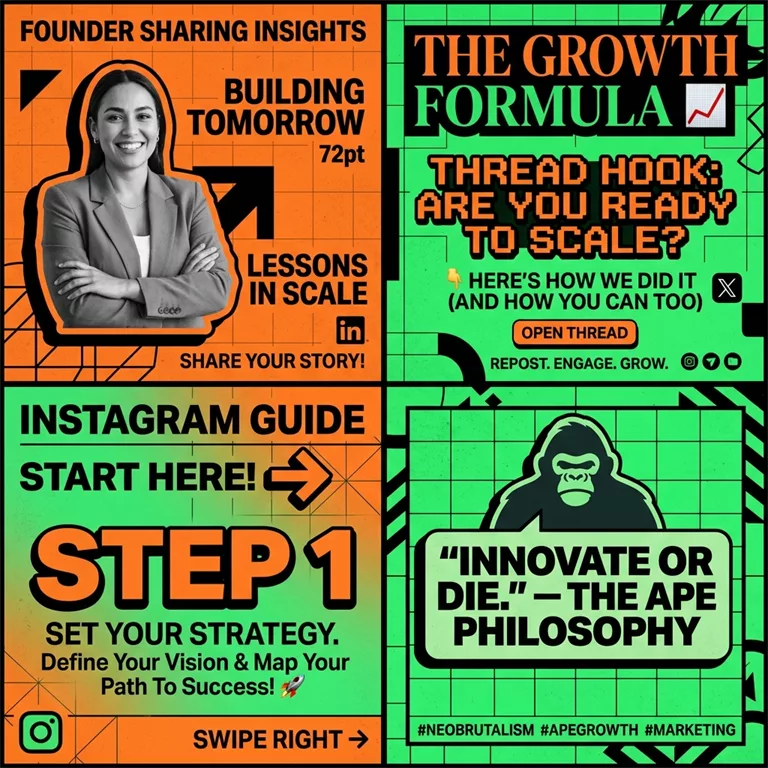
The 3-layer distribution model
Layer 1: Launch Content Goes live within 24 hours. Purpose: get immediate reach. Use: 1 LinkedIn authority post, 1 X thread, 2 short text posts with different hooks, 1 visual post, and 1 direct link share.
Layer 2: Repurposed Follow-up Content Keep extracting assets for the next 7 to 14 days. Use a "mistakes" post, a "framework" post, a "contrarian" post, a quote card, a short video script, and an FAQ style post.
Layer 3: Evergreen Recycling If the article is evergreen, add it to a rotation system. Reshare one angle after 30 days, 60 days, and 90 days.
The 14-day blog promotion plan
What most teams do wrong
They post the link only once, use the same angle, ignore platform-specific formatting, and stop after launch day. A good blog does not need more effort - it needs better packaging. Read our guide on Hook Science to fix your engagement.
Section 8: when to post blog-based social content and how often to distribute it
There is no single universal best time to post. There is only the best window for your audience and platform. That said, a great post at an average time usually beats a weak post at the "perfect" time.
The right order of priorities
- Strong hook -> 2. Platform-native format -> 3. Clear value -> 4. Consistent distribution -> 5. Timing optimization.
Practical posting windows to test
How often should you promote one blog post?
More than once. For one strong article, a realistic rhythm is: 3-5 short text posts, 1 thread, 1 carousel, 1 short video, 1 direct link share, and 2-3 repost variations.
The anti-repetition rule: You are not repeating yourself if you change the hook, the format, the pain point, the audience segment, the CTA, or the example.
Section 9: common mistakes that kill blog-to-social performance
Most blog promotion fails because the repurposing was lazy. If you want to create engaging content, avoid these traps:
Section 10: how to share your blog post on social media without looking repetitive
Share the idea, not just the link. A raw link share is one format; it should not be the only format.
The 6 ways to share one blog post
Opinion post, thread, carousel, quote graphic, video script, and link post with context.
The right order for sharing
Day 1 (Publish + non-link post) -> Day 2 (Carousel) -> Day 3 (X thread) -> Day 5 (Short video) -> Day 7 (Direct link with fresh angle).
Weak vs Strong Examples
Section 11: The Final Takeaway - Content is an Asset
If you walk away with one thing from this guide, let it be this: Your blog is not a destination. It is an engine.
Most people publish a post, share it once, and move on. That is a waste of 90% of your effort. The real winners in 2026 are those who treat their long-form content as raw material. They extract, they reshape, and they distribute until every single insight has reached its maximum audience.
The formula is simple:
- Extract the core hooks and insights.
- Repurpose into platform-native formats (Threads, Carousels, Posts).
- Distribute over a 14-day loop.
Stop writing more content. Start distributing the content you already have with more intensity. That is how you win.
The Ape Content Manifesto
Download our 1-page manifesto on "The Content Multiplier" to keep these principles pinned to your desk.
The Ape Content Manifesto
Get the 5 core rules for content repurposing. Keep them pinned to remind you that your content is an asset engine.
FAQ
How do you create engaging social media content from blog posts?
Extract the most useful ideas and rewrite them as platform-native assets like text posts, threads, and carousels instead of just sharing a link.
What is the best way to turn a blog post into social media content?
Break the blog into smaller units: one core claim, several hooks, a thread, a carousel, and a video script.
How many social media posts can you create from one blog post?
A strong blog can produce 8 to 20+ social assets. Practical articles with frameworks and sharp opinions offer the most material.
Should you post the blog link directly on social media?
Sometimes, but leading with native content first (no link) usually earns more reach. Use the link in the comments or as a secondary CTA.
How do you promote a blog post on social media effectively?
Build a distribution plan: create multiple assets, spread them over several days, use different formats, and reshare new angles later.
What are the best tools to repurpose blog content?
Tools like ApePublish that extract key ideas and rewrite them for each platform while keeping the output native.
Can I automatically post WordPress blog content to social media?
Yes, but simple automation usually just dumps the link. For engagement, you need a system that converts the content into platform-ready assets first.
What is the difference between sharing and repurposing?
Sharing is distribution (posting the link). Repurposing is multiplication (rebuilding the insight into 10+ native formats).
How often should I share the same blog post?
More than once, as long as the framing is different. Variation increases reach without looking lazy.
Which platforms are best for repurposed blog content?
LinkedIn for authority, X for threads, Instagram for carousels, and TikTok/Shorts for educational clips.
How does ApePublish help?
It takes one long-form piece and turns it into multiple social assets using the Ape Engine, removing the manual writing bottleneck.
Final Takeaway
Manual blog promotion is a losing game. If your workflow is just "write, publish, share once," you are leaving reach on the table.
The better system is: create one solid blog, extract the strongest ideas, turn them into native social assets, and distribute them across multiple days. That is exactly where ApePublish fits.
If you want that system without the manual grind, ApePublish is built for it. Stop publishing and forgetting. Start building a content machine.
Related Articles
Practical guides to scale your content reach


